
Understanding Task Management Tools
In today’s world, where responsibilities extend beyond the traditional 9 to 5, one may feel overwhelmed by the sheer volume of tasks that require attention. Effective task management emerges as a necessary ally in navigating daily obligations, both personal and professional. With digital tools at the forefront of this movement, individuals and teams are equipped to tackle their to-do lists with confidence and clarity, ultimately enhancing productivity and efficiency.
Centralized Task Management
Modern task management tools allow users to centralize their responsibilities in one digital environment. By eliminating the chaos of disparate to-do lists, users can streamline their workflows, ensuring important tasks do not fall through the cracks. For example, platforms like Asana or Todoist allow individuals to categorize tasks by projects, deadlines, and priority levels. This curated framework helps individuals maintain focus and prioritize effectively. Can you imagine having all your tasks visible at a glance rather than digging through sticky notes or scattered emails?
Real-Time Collaboration
The shift to remote work has underscored the value of digital collaboration tools. Applications like Slack and Trello enable team communication in real time, fostering an environment where ideas can flow freely and feedback is instantaneous. This immediacy reduces the lag time that can occur in more traditional forms of communication like email, allowing projects to advance more rapidly. Teams can quickly pivot and adapt to changes, making them more agile in a rapidly evolving landscape.
Visual Planning
Visual aids can significantly enhance the task management experience. The use of calendars, Gantt charts, and Kanban boards provides an intuitive approach to tracking progress and deadlines. By employing tools like Microsoft Planner or Monday.com, users can create clear visual representations of project timelines and dependencies. This clarity not only aids in monitoring advancement but also helps identify potential bottlenecks before they escalate into major issues.
Automated Reminders
In the hustle and bustle of daily life, it can be easy to overlook important deadlines. This is where automated reminders prove invaluable. Many digital task management tools allow users to set customizable alerts, ensuring that critical tasks are completed on time. For instance, Google Calendar provides users with options to receive notifications via email or push alerts, adding another layer of support in managing to-do lists effectively.
Research indicates that leveraging these digital tools can lead to productivity increases of up to 25%. This statistic highlights the essential role these technologies play in modern work environments, particularly in a country like the United States where efficiency is often synonymous with success. As professionals continue to navigate complex work landscapes, understanding the functionalities of various task management tools is imperative to optimizing workflows and enhancing overall productivity.
Ultimately, the challenge lies in selecting the right tools tailored to individual or team needs. Exploration and experimentation with available options can uncover the ideal fit, making the daunting task of managing both personal and professional responsibilities significantly more manageable.
DISCOVER MORE: Click here to enhance your workflow
The Role of Digital Tools in Task Management
As the pace of modern life continues to accelerate, the need for efficient task management becomes more pronounced. Digital tools have emerged as pivotal solutions to help individuals and teams manage their tasks effectively. These tools not only streamline planning but also empower users to harness their time more wisely. By incorporating various functionalities, they provide a comprehensive approach to organizing commitments and enhancing productivity.
Features That Transform Task Management
When exploring digital task management tools, several key features stand out as instrumental in shaping focused planning strategies:
- User-Friendly Interfaces: Tools like ClickUp and Notion offer intuitive layouts that minimize the learning curve, allowing users to dive in and start managing tasks immediately.
- Task Prioritization: The ability to prioritize tasks based on deadlines and importance helps users ensure they tackle the most pressing matters first, promoting efficient allocation of time and resources.
- Progress Tracking: Most tools provide visual representations of progress, such as graphs or percentage completion indicators, facilitating users to see how close they are to achieving their goals.
- Integration with Other Software: Digital task tools often integrate seamlessly with other applications, such as email or calendar functionalities, enabling users to manage all aspects of their planning within one ecosystem.
Enhanced Productivity through Automation
Another compelling aspect of digital task management tools is their automation capabilities. Manual reminder systems can be burdensome, often resulting in missed deadlines. Automated functions streamline this process, sending timely alerts to help users remain on track. Users can take advantage of features such as:
- Recurring Tasks: Setting tasks to repeat at specified intervals ensures important duties are not forgotten.
- Due Date Notifications: Real-time alerts notify users as deadlines approach, keeping tasks on the forefront of their minds.
- Smart Scheduling: Advanced tools use algorithms to suggest optimal times for task completion based on user habits and availability.
Choosing the Right Digital Task Management Tool
Despite the plethora of options available, it is vital for users to choose the right tool that aligns with their unique needs. This tailored selection can substantially impact effectiveness in managing weekly plans. To do so, potential users should consider:
- Type of Work: Whether personal, team, or project-oriented, the nature of tasks dictates the suitability of specific tools.
- Team Size: Larger teams may benefit from tools that emphasize collaboration, while individual users might prefer simpler interfaces.
- Integration Needs: Those who rely on other applications must ensure that chosen tools are compatible to create a connected experience.
Exploring these dimensions not only optimizes efficiency but also enhances the overall experience of task management. As new features and technologies emerge, the capacity for individuals and teams to streamline their planning continues to evolve.
| Category | Key Features |
|---|---|
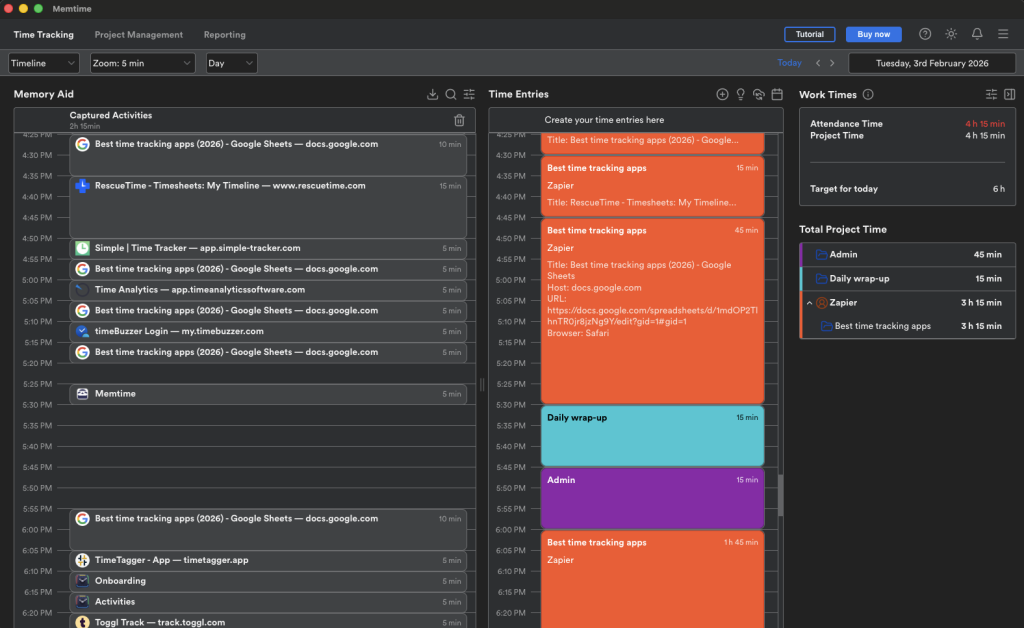
| Time Tracking Tools | These tools allow users to track the time spent on various tasks, providing insights into productivity patterns. |
| Automated Task Reminders | Automated notifications help ensure that important deadlines are met without the stress of manual tracking. |
| Collaboration Platforms | These platforms facilitate real-time communication and document sharing, enhancing team cooperation and project transparency. |
| Progress Tracking Dashboards | Visual representations of project statuses allow for swift adjustments and proactive planning. |
| Centralized Task Lists | All tasks organized in one place reduces clutter and ensures nothing slips through the cracks. |
The integration of digital tools into weekly planning has the potential to revolutionize how individuals manage tasks. A significant advantage includes enhanced organization through centralized task lists, allowing users to prioritize effectively without losing sight of long-term goals. Additionally, the implementation of progress tracking dashboards can boost accountability by making it easier to identify areas needing attention. From freelancers to team leads, collaboration platforms foster transparent communication, essential in achieving collective objectives. Besides these benefits, automated task reminders minimize the chances of missed deadlines, fundamentally changing the workflow dynamics. Each digital tool complements task management, providing the motivation and structure necessary for seamless weekly planning. By tapping into these resources, users can expect a more efficient, less stressful, and productive week ahead.
DISCOVER MORE: Click here to enhance your productivity
Collaboration and Communication in Task Management
The rise of remote work and dispersed teams has underscored the necessity of enhanced collaboration tools within task management. Digital platforms serve as a communication bridge, enabling team members to coordinate efforts and keep track of responsibilities without the constraints of physical meetings. Features that bolster collaboration include:
- Shared Workspaces: Digital task management tools like Asana and Trello provide virtual workspaces where teams can view and manage tasks in real-time, fostering transparency and accountability.
- Commenting and Feedback Loops: Many platforms allow users to comment on specific tasks, facilitating immediate feedback and discussions that can lead to quicker problem resolution.
- File Attachments: Teams can attach relevant documents and files to tasks, ensuring that all necessary resources are in one accessible location, thus reducing information silos.
Data-Driven Insights for Task Management
Modern task management tools not only offer basic functionality but also generate valuable insights that can inform better planning. By analyzing task data, users can refine their approaches and develop strategies tailored to their habits and productivity patterns:
- Performance Analytics: Certain tools provide analytics that highlight completion rates and time spent on different tasks, empowering users to identify bottlenecks in their workflow.
- Customizable Reports: Users can generate reports that cater to specific needs, whether it’s tracking team productivity or understanding personal task load over time.
- Goal Tracking Metrics: Setting measurable goals within digital platforms enables users to track their progress and remain committed to objectives while adjusting plans in real-time.
Mobile Accessibility: Managing Tasks on the Go
In an increasingly mobile world, having the ability to manage tasks on-the-go has never been more critical. Many digital task management tools are designed with mobile applications, allowing users to stay connected and productive wherever they are:
- Push Notifications: Users receive instant reminders and alerts through mobile devices, ensuring no task is overlooked, regardless of location.
- Offline Functionality: Some applications provide offline access, enabling users to create and modify tasks without an internet connection, with changes syncing once reconnected.
- Cross-Device Synchronization: This feature ensures that all updates made on one device are immediately reflected on others, promoting a seamless experience across smartphones, tablets, and desktops.
The Future of Task Management Tools
As technology continues to innovate, the capabilities of digital task management tools are expected to expand further. For instance, artificial intelligence (AI) and machine learning are being integrated into these platforms to provide predictive analytics and personalized recommendations. Users may find themselves with tools that anticipate their needs, offer task suggestions based on past behavior, or automatically adjust schedules based on changes in priorities.
Moreover, fostering a culture of continuous improvement is essential for teams to maximize the benefits of these tools. Regular training sessions can introduce new features, while feedback mechanisms can help developers enhance usability based on real user interactions. By staying informed about advancements and embracing these tools, individuals and groups can truly optimize their task management processes, leading to better outcomes in both personal and professional spheres.
DISCOVER MORE: Click here to enhance your productivity habits
Conclusion: Embracing Digital Tools for Effective Task Management
In a world where productivity is paramount, streamlining task management through digital tools has emerged as a game changer for both individuals and teams. As explored in this article, features like shared workspaces, performance analytics, and mobile accessibility not only foster greater collaboration but also lead to informed decision-making and efficient planning throughout the week. The integration of these tools facilitates a level of transparency and communication previously unattainable, allowing teams to stay aligned and productive despite geographical barriers.
The advent of AI and machine learning in task management platforms promises further enhancements, making it crucial for users to remain adaptable and open to new functionalities. Staying ahead of the curve means regularly engaging with these digital tools—harnessing their capabilities to transform task management from a mundane necessity into a dynamic, empowering experience. As the workplace continues to evolve, investing time in learning and optimizing these technologies will allow both individuals and organizations to maximize their potential and achieve set goals more effectively.
Ultimately, as we approach an increasingly digital future, it is clear that leveraging these state-of-the-art task management tools is no longer optional; it is essential for achieving success in our personal and professional lives. By harnessing the power of digital tools for enhanced weekly planning, users can pave the way for a more organized, efficient, and productive journey ahead.
Related posts:
The Art of Daily Programming: How Apps Can Help with Time Management and Goal Setting
Integrating Digital Tools to Optimize Workflow and Personal Organization
Task Management: Digital Tools for Prioritization and Efficiency
Setting Goals with Technology: Apps to Build Self-Discipline Habits
How Digital Tools Can Transform Your Daily Planning and Increase Your Productivity
The Art of Daily Planning: How Digital Tools Can Transform Your Personal Organization

Beatriz Johnson is a seasoned productivity strategist and writer with a passion for simplifying the complexities of time management and personal organization. With over a decade of experience in efficiency optimization, she specializes in topics like workflow design, habit formation, and productivity systems for modern professionals. Through her work, Beatriz empowers readers to take control of their schedules, eliminate overwhelm, and stay ahead in today’s fast-paced world.